
AI Image Denoising and Sharpening: Complete Guide 2026
Master AI-powered image denoising and sharpening techniques. Remove noise, enhance clarity, and restore details in photos with cutting-edge AI tools and methods.
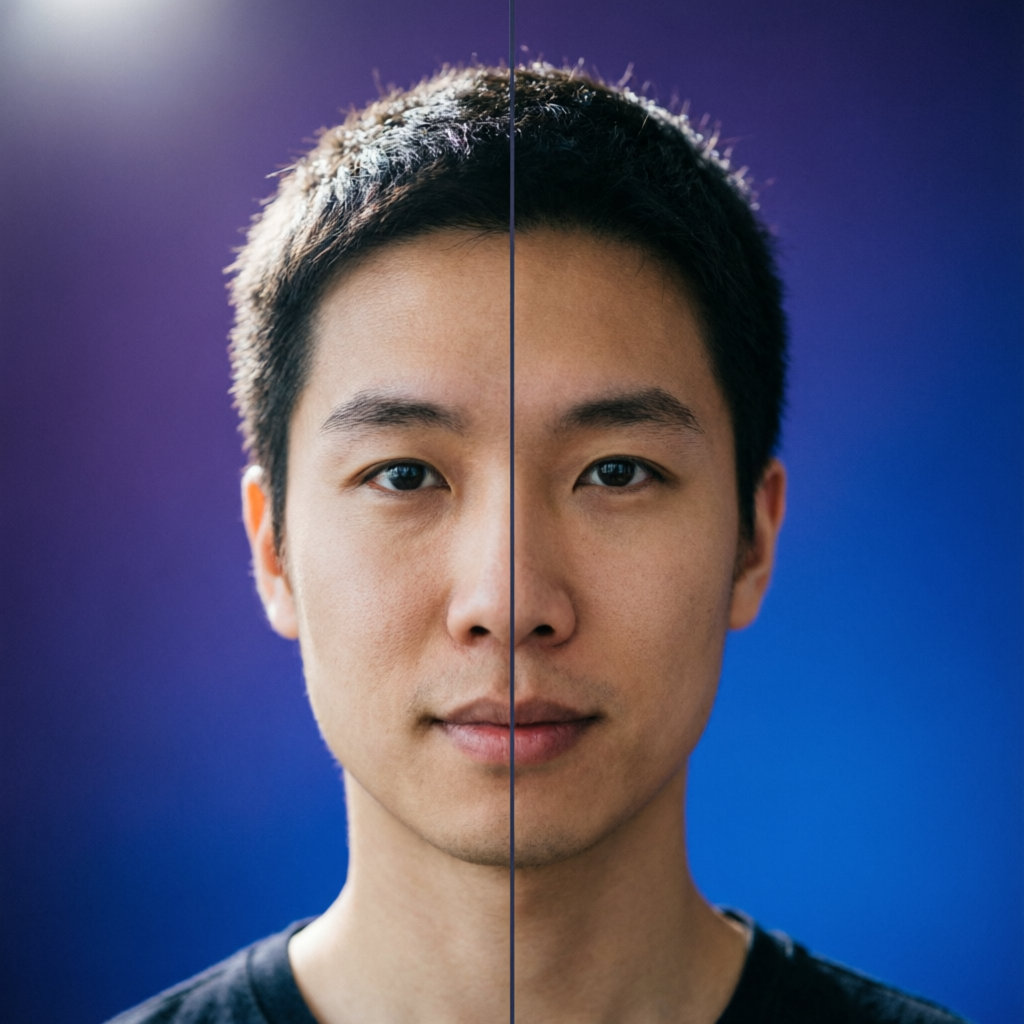
Blurry photos, digital noise, and loss of detail are among the most frustrating image quality issues photographers and content creators face. Whether you're dealing with low-light photography, high-ISO sensor noise, compression artifacts, or motion blur, AI-powered denoising and sharpening technologies have revolutionized how we restore and enhance image quality in 2026.
Traditional image processing methods often struggle to balance noise reduction with detail preservation—aggressive denoising creates unnatural smoothing, while over-sharpening amplifies noise and creates halos. Modern AI algorithms have broken through these limitations by learning the complex patterns that distinguish genuine image details from unwanted noise.
In this comprehensive guide, you'll discover cutting-edge AI denoising and sharpening techniques, compare leading tools, learn practical workflows for different scenarios, and understand the underlying technologies that make intelligent image enhancement possible. Whether you're a professional photographer, graphic designer, or casual photo enthusiast, these AI-powered methods will help you rescue problematic images and achieve professional-quality results.
Understanding Image Noise and Blur: Types and Causes
Before diving into AI solutions, it's essential to understand what you're working with.
Common Types of Image Noise
Luminance Noise appears as grainy variations in brightness across uniform areas, particularly visible in shadow regions. This is the most common type of noise in digital photography.
Chrominance Noise manifests as random color speckles or splotches, often green, purple, or orange artifacts in areas that should be uniform colors.
Salt-and-Pepper Noise consists of randomly scattered white and black pixels, typically caused by sensor defects or transmission errors.
Banding Noise creates visible horizontal or vertical stripes, usually resulting from sensor read-out issues or aggressive post-processing.
Primary Causes of Image Degradation
| Cause | Impact | Common Scenarios |
|---|---|---|
| High ISO Settings | Increased sensor noise, reduced color accuracy | Low-light photography, fast shutter speeds |
| Long Exposures | Heat-generated noise patterns, hot pixels | Night photography, astrophotography |
| Small Sensor Size | More noise at equivalent settings | Smartphone cameras, compact cameras |
| JPEG Compression | Blocking artifacts, color banding | Web images, heavily compressed files |
| Motion Blur | Directional smearing of details | Moving subjects, camera shake |
| Poor Focus | Soft edges, lack of fine details | Incorrect focus point, shallow depth of field |
| Lens Quality | Aberrations, diffraction, softness | Low-quality lenses, stopped-down apertures |
Understanding the specific type and source of image degradation helps you choose the appropriate AI enhancement approach.
How AI Denoising Works: Deep Learning Technologies
Modern AI denoising systems use sophisticated neural networks trained on millions of clean and noisy image pairs.
Convolutional Neural Networks for Noise Detection
AI denoising models employ deep convolutional neural networks (CNNs) that analyze images at multiple scales simultaneously. These networks learn to identify patterns that distinguish real image structures from noise artifacts by examining texture, edges, and frequency characteristics.
The key advantage is contextual awareness—AI systems understand image semantics and can make intelligent decisions about what constitutes important detail versus removable noise, something traditional algorithms cannot achieve.
Training Methods and Datasets
Leading AI denoising models are trained using several approaches:
- Supervised Learning: Training on paired datasets of clean and noisy images
- Self-Supervised Learning: Using single noisy images with specialized loss functions
- Noise-to-Noise Training: Learning from pairs of different noisy versions of the same scene
- Synthetic Data Augmentation: Creating realistic noise patterns programmatically
The most effective commercial solutions combine multiple training strategies and leverage massive datasets containing diverse noise types, lighting conditions, and subject matter.
Real-Time vs. Batch Processing
Different AI denoising implementations offer varying performance characteristics:
Real-Time Processing uses optimized lightweight models that can run on GPU hardware during photo capture or live preview, ideal for smartphone photography and video recording.
Batch Processing employs larger, more sophisticated models that deliver higher quality but require more computational time, suitable for professional post-production workflows.
Top AI Denoising and Sharpening Tools in 2026
The AI image enhancement landscape has evolved dramatically, with several standout solutions for different needs and workflows.
Professional Desktop Solutions
Topaz Photo AI leads the professional market with its neural network-based approach that intelligently analyzes each image to determine optimal denoising and sharpening settings. It excels at preserving fine details while removing noise, handles high-ISO recovery exceptionally well, and integrates seamlessly with Adobe Lightroom and Photoshop.
DxO PureRAW leverages proprietary DeepPRIME XD technology that performs denoising directly on RAW files before demosaicing, preserving maximum image information. This approach produces superior results compared to denoising already-processed images, making it ideal for serious photographers working with RAW formats.
Lightroom Classic with AI Denoise (Adobe) introduced AI-powered denoise functionality that processes RAW files with impressive quality. While not as advanced as specialized tools, its tight integration with the Lightroom workflow makes it convenient for photographers already in the Adobe ecosystem.
Online and Browser-Based Tools
Clipdrop Cleanup offers AI-powered noise reduction and sharpening through an intuitive web interface, requiring no software installation. While less powerful than desktop solutions, it provides excellent results for moderate noise levels and is accessible from any device.
Fotor AI Enhancer combines denoising with automatic overall enhancement, making it simple for beginners to improve image quality with minimal technical knowledge. The AI automatically balances noise reduction, sharpening, contrast, and color adjustments.
VanceAI Image Sharpener specializes in rescuing blurry and out-of-focus photos using AI-trained models that can detect and enhance edges while suppressing noise amplification—a notoriously difficult balancing act.
AI-Powered Mobile Applications
Google Pixel's Computational Photography implements on-device AI denoising that processes images immediately after capture, using multiple frame stacking and neural network noise suppression to produce clean results from challenging lighting conditions.
Apple ProRAW Processing incorporates machine learning-based noise reduction that operates during the RAW conversion process, providing professional-grade noise handling directly on iPhone devices.
Practical Workflows: Step-by-Step Enhancement Techniques
Different image problems require tailored approaches. Here are proven workflows for common scenarios.
High-ISO Night Photography Restoration
For images captured at ISO 6400 or higher with significant luminance and chrominance noise:
- Import RAW files into your preferred AI denoising tool (Topaz Photo AI or DxO PureRAW recommended)
- Apply AI denoising first before any other adjustments—this preserves maximum detail
- Adjust noise reduction strength based on image content (50-70% for detailed areas, 70-90% for smooth areas)
- Separately control chrominance and luminance noise if your tool allows—typically use higher chrominance reduction
- Add selective sharpening only after denoising, focusing on eyes, text, or key details
- Apply final adjustments (exposure, contrast, color) after noise reduction completes
This sequence prevents noise amplification and maintains natural texture in important areas.
Compressed JPEG Recovery
For social media images, downloaded photos, or heavily compressed files:
- Analyze compression artifacts to identify blocking patterns and color banding
- Use specialized JPEG artifact removal tools (many AI denoisers include this mode)
- Apply gentle denoising (30-50% strength) to smooth block boundaries without over-softening
- Target chrominance noise aggressively since compression heavily impacts color information
- Add structure-preserving sharpening to recover edge definition lost to compression
- Export at higher quality settings to prevent re-introducing artifacts
Motion Blur and Camera Shake Correction
While AI can't completely reverse severe motion blur, modern tools achieve impressive results:
- Identify blur direction (motion blur has a directional pattern, camera shake is more random)
- Use AI deblurring modes specifically designed for motion analysis
- Apply in localized areas if only part of the image is blurred
- Adjust blur kernel detection if your tool provides this control
- Combine with strategic sharpening on stationary elements
- Accept limitations—AI cannot fully reconstruct information that was never captured
AI deblurring works best on moderate blur where some detail structure remains visible.
Advanced Techniques: Maximizing AI Enhancement Quality
Beyond basic workflows, several advanced strategies dramatically improve results.
Dual-Stage Processing for Extreme Cases
For severely degraded images, process in two separate stages:
Stage 1: Aggressive Denoising at 80-100% strength to eliminate noise, accepting some detail loss Stage 2: AI Upscaling and Sharpening using tools like Gigapixel AI or Real-ESRGAN to reconstruct details lost during aggressive denoising
This counterintuitive approach often produces better results than attempting to balance denoising and detail preservation in a single pass.
Frequency Separation with AI
Combine traditional frequency separation technique with AI processing:
- Separate image into low and high frequency layers in Photoshop
- Apply AI denoising to low frequency layer (large-scale tonal variations)
- Apply AI sharpening to high frequency layer (fine details and edges)
- Blend layers with opacity control for fine-tuned results
This gives you precise control over which aspects receive AI enhancement.
Batch Processing with Consistency
When processing multiple images from the same shoot:
- Develop optimal settings on one representative image
- Create presets or profiles capturing these settings
- Apply consistently across the batch to maintain coherent look
- Make individual adjustments only for images with significantly different characteristics
Modern AI tools increasingly offer consistent behavior across similar images, but manual review remains important for quality control.
Combining Multiple AI Models
Different AI models excel at different aspects:
- Use Topaz Photo AI for noise reduction and initial sharpening
- Follow with Gigapixel AI for intelligent upscaling if increasing resolution
- Apply Clarity AI or similar for final detail enhancement and local contrast
This pipeline approach leverages the strengths of specialized models rather than relying on one tool for everything.
Comparing AI Methods to Traditional Techniques
Understanding how AI approaches differ from conventional processing helps you choose the right tool.
Traditional Denoising Limitations
Median Filtering effectively removes salt-and-pepper noise but creates unnatural smoothing and destroys fine details.
Gaussian Blur reduces high-frequency noise but equally blurs all image content, requiring complex masking to preserve edges.
Bilateral Filtering improves on Gaussian by preserving edges, but still lacks semantic understanding of image content and cannot distinguish detail from noise in textured areas.
Non-Local Means examines broader image context but remains computationally expensive and still applies generic rules rather than learned patterns.
AI Advantages
AI-based methods outperform traditional algorithms in several critical ways:
| Aspect | Traditional Methods | AI Methods |
|---|---|---|
| Detail Preservation | Often destroys fine textures | Intelligently maintains important details |
| Edge Handling | Creates halos or blurs edges | Precisely preserves and enhances edges |
| Texture Understanding | Treats all textures equally | Distinguishes fabric, skin, foliage, etc. |
| Noise Type Adaptation | Requires manual adjustment | Automatically identifies and targets specific noise |
| Processing Speed | Fast but limited quality | GPU-accelerated, high quality |
| User Complexity | Requires extensive parameter tuning | Often automatic or simplified controls |
The most significant advantage is contextual understanding—AI systems recognize that skin texture should be smoothed differently than fabric, that sharp edges belong at building corners but not in skies, and that fine hair strands should be preserved while sensor noise should be eliminated.
Hardware Requirements and Performance Optimization
AI processing demands significant computational resources, but modern optimization makes it increasingly accessible.
Minimum and Recommended Specifications
For Desktop AI Tools:
- Minimum: Intel i5/AMD Ryzen 5, 8GB RAM, integrated graphics
- Recommended: Intel i7/AMD Ryzen 7 or better, 16GB+ RAM, NVIDIA RTX GPU with 6GB+ VRAM
- Optimal: Multi-core CPU (8+ cores), 32GB+ RAM, NVIDIA RTX 4070 or better
For Online Tools:
- Modern browser (Chrome, Edge, Safari)
- Stable internet connection (5 Mbps minimum, 20+ Mbps recommended for large files)
- 4GB+ RAM for browser processing
GPU Acceleration Benefits
AI denoising and sharpening benefit dramatically from GPU acceleration:
| Processing | CPU Only | GPU (NVIDIA RTX 3060) | GPU (NVIDIA RTX 4090) |
|---|---|---|---|
| Single 24MP RAW | 30-45 seconds | 5-8 seconds | 2-3 seconds |
| Batch 100 images | 50-75 minutes | 8-13 minutes | 3-5 minutes |
| 4K Video Frame | 8-12 seconds | 1-2 seconds | Under 1 second |
NVIDIA GPUs with CUDA support deliver the best performance, though some tools also support AMD GPUs and Apple Silicon optimization.
Optimizing Processing Workflows
Use Smart Previews - Process downscaled versions to test settings before full-resolution processing
Batch During Downtime - Queue large batches to process overnight or during breaks
Adjust Quality Settings - Many AI tools offer quality tiers; use medium quality for initial review, maximum for finals
Close Background Applications - Free RAM and VRAM for the AI processing engine
Update GPU Drivers - Newer drivers often include performance optimizations for AI workloads
Common Mistakes and How to Avoid Them
Even with powerful AI tools, certain errors undermine results.
Over-Processing Red Flags
Plastic Skin Texture results from excessive noise reduction on portraits—always preserve natural skin texture variation
Unnatural Edge Halos appear when sharpening is too aggressive—reduce radius or strength settings
Lost Detail in Textured Areas happens when denoising treats fabric or foliage as noise—use selective or masked application
Oversaturated Colors can result from AI enhancement algorithms going too far—manually reduce vibrance after AI processing
Workflow Sequence Errors
Applying AI Denoising After Other Edits - Always denoise early in your workflow before exposure, contrast, or color adjustments
Sharpening Before Denoising - This amplifies noise; always remove noise before adding sharpness
Using Lossy Export Before AI Processing - Process RAW or highest quality source files, not compressed JPEGs
Ignoring Original Intent - AI tools don't understand creative intent; don't let automation override your artistic vision
Technical Limitations
Expecting Miracles from Extreme Blur - AI cannot reconstruct detail that was never captured; severely out-of-focus images have fundamental limitations
Assuming One Setting Fits All - Different image types (portraits, landscapes, architecture) require different AI processing approaches
Neglecting to Compare - Always toggle before/after views and examine at 100% magnification to verify improvements
Future Trends: What's Coming in AI Image Enhancement
The field continues advancing rapidly with several promising developments.
Real-Time AI Enhancement
Next-generation smartphone cameras will implement AI denoising and sharpening during capture, eliminating the need for post-processing in most cases. Computational photography is moving toward "perfect capture" scenarios where AI processes dozens of frames in under one second to produce optimal results.
Semantic Understanding and Content-Aware Processing
Future AI systems will understand image content at a higher level—recognizing faces, buildings, vegetation, sky, and applying specialized enhancement algorithms appropriate for each element automatically. This semantic segmentation combined with specialized processing promises even better results with less user intervention.
Diffusion Models for Reconstruction
Emerging diffusion model architectures can actually generate plausible detail in areas where information is severely degraded or missing, going beyond traditional enhancement to intelligent reconstruction. This technology will allow recovery of images previously considered unsalvageable.
On-Device Neural Processing Units
Dedicated AI accelerators in smartphones and cameras will enable desktop-quality processing on mobile devices without cloud connectivity, bringing professional-level denoising and sharpening to handheld devices.
Practical Tips and Best Practices
Maximize your AI enhancement results with these proven strategies.
Always Preserve Originals
Never overwrite your source files. Save AI-processed results as new files or versions so you can revisit the original if needed or re-process with improved tools in the future.
Use Non-Destructive Workflows
When possible, work in environments that preserve adjustment layers or processing history (Lightroom catalogs, Photoshop smart objects, etc.). This allows you to refine AI processing decisions later.
Calibrate Your Display
Accurate display calibration ensures you're making processing decisions based on true image appearance, not display color or brightness errors. A properly calibrated monitor is essential for professional results.
Learn Your Tools Deeply
Invest time understanding the specific capabilities and optimal use cases for your chosen AI tools. Read documentation, watch tutorials, and experiment with various settings on test images before processing critical work.
Combine AI with Traditional Techniques
AI tools are powerful but not always the complete solution. Combine AI denoising with careful exposure adjustment, dodging and burning, or local contrast enhancement for best results.
Develop Critical Evaluation Skills
Train yourself to identify processing artifacts, unnatural textures, and over-enhancement. Regularly compare your AI-processed results against originals at high magnification and different brightness levels.
Frequently Asked Questions
Can AI completely remove all noise from images?
AI can dramatically reduce noise, but completely eliminating all noise often results in an artificial, over-smoothed appearance. The goal is to find the optimal balance where noise is minimized while natural texture and detail are preserved. Very aggressive denoising can make images look like digital paintings rather than photographs.
Should I denoise RAW files or processed JPEGs?
Always process RAW files when possible. RAW files contain maximum image information before demosaicing and compression, allowing AI algorithms to make better decisions about what constitutes noise versus detail. Denoising RAW files produces significantly better results than working with already-processed JPEGs.
How much does good AI denoising software cost?
Professional solutions range from approximately $80 to $200 for perpetual licenses (Topaz, DxO). Subscription options like Adobe's AI Denoise in Lightroom are included with Creative Cloud photography plans (around $10 per month). Free alternatives like GIMP with G'MIC filters provide basic capabilities but generally can't match commercial AI quality.
Can AI denoising work on video footage?
Yes, several specialized tools offer AI-powered video denoising, including Topaz Video AI, DaVinci Resolve Studio's neural processing, and Adobe Premiere Pro's AI features. Video denoising is more computationally intensive since it processes multiple frames while maintaining temporal consistency, but modern GPU acceleration makes it practical.
Does AI sharpening work on out-of-focus images?
AI can improve moderately soft or slightly out-of-focus images by enhancing existing edge information and reconstructing detail patterns learned during training. However, it cannot create details that were never captured. Severely out-of-focus images with complete loss of edge definition will show limited improvement. Best results come from images that have some residual sharpness to build upon.
Will AI denoising work with smartphone photos?
Absolutely. In fact, smartphone photos often benefit more dramatically from AI denoising due to their smaller sensors and higher noise levels. Modern AI tools recognize smartphone camera characteristics and apply appropriate processing. Many smartphones now include AI denoising directly in their camera apps, processing images immediately after capture.
How do I avoid the "plastic" look in portraits?
To maintain natural skin texture: (1) Use lower denoising strength on skin areas (40-60% rather than 80-100%), (2) Preserve luminance texture while reducing chrominance noise, (3) Apply selective denoising using masks that protect skin while aggressively treating backgrounds, (4) Add subtle grain or texture after denoising to restore natural appearance.
Final Recommendations
Mastering AI-powered denoising and sharpening transforms your ability to rescue problematic images and achieve professional quality results from challenging capture conditions.
-
Start with the right source material - Always shoot RAW when possible and process from the highest quality files available to give AI algorithms maximum information to work with.
-
Invest in quality AI tools - While free options exist, professional solutions like Topaz Photo AI or DxO PureRAW deliver meaningfully better results and save significant time through superior automation and quality.
-
Develop a consistent workflow - Apply AI denoising early in your processing pipeline, before other adjustments, and create presets for common scenarios to maintain efficiency.
-
Balance automation with artistic control - Let AI handle the technical heavy lifting of noise removal and detail enhancement, but retain creative control over the final aesthetic through manual adjustments.
-
Keep learning and experimenting - AI image processing technology evolves rapidly; stay current with new tools, techniques, and best practices to continually improve your results.
With the powerful AI denoising and sharpening capabilities available in 2026, you can confidently push your camera equipment to its limits in challenging lighting conditions, rescue valuable images from technical problems, and consistently deliver clean, sharp, professional-quality results.
Related Articles:
- AI Image Upscaling and Enhancement: Complete Guide 2026
- AI Old Photo Restoration Guide
- AI Image Colorization: Complete Guide 2026
Recommended External Tools:
Ready to try it yourself?
Try AImage for Free →